


Web design for small business: the complete guide for UK SMEs
Small business web design is often oversold on trends and undersold on fundamentals. This guide breaks down what actually drives customer action: responsive layouts, Core Web Vitals, WCAG accessibility, and cost discipline—with practical checklists for WordPress, Shopify, and site evaluations.
Separate what matters (responsiveness, speed, accessibility) from design trends—and build a website that works for your customers and your bottom line.

11 min read

Photo by Kari Shea on Unsplash
TL;DR
- Good web design for small business starts with your customers’ needs, not the year’s fashionable layout.
- A responsive layout, fast Core Web Vitals and WCAG 2.2 AA accessibility are the non-negotiable baseline.
- Platform choice — WordPress, Shopify or a custom build — should follow your business type, not fashion.
- Budget matters, but cheap web design is the expensive option once you count slow pages, security debt and rebuilds.
- The best designers measure success in customers won and trust earned, not design awards.
Most guides to web design for small business open with colour palettes, fonts and whatever layout is fashionable this year. This guide starts somewhere more useful: the handful of decisions that genuinely win and keep customers. If you run a UK small business — a startup, a trade, a charity or a micro-enterprise turning over between £50k and £2m — and you are weighing up a new build or a redesign, what follows separates what matters from what merely looks impressive in a pitch deck.
We design, build and maintain websites for Dorset SMEs every day, so the advice here is grounded in what we see working — and failing — on real projects, not in design theory.

Photo by SumUp on Unsplash
What is web design for small business?
Web design for small business is the practice of structuring, building and maintaining a website so that visitors find what they need, trust what they see, and take action. It spans layout, performance, accessibility and content structure — far more than “making things look nice”. A good designer makes evidence-based decisions rooted in how people actually use websites, not personal taste. For a fuller breakdown of the role, see our guide to what web designers actually do.
For a small business the goal is pragmatic: more enquiries, clearer trust signals and a site you can maintain without paying an agency for every change. That is a different brief from a brand-led showcase, and it leads to different decisions at every step.
Three misconceptions cause the most expensive mistakes:
- “It’s all about looks.” Aesthetics matter, but they sit on top of structure, speed and usability — not the other way round.
- “Trendy equals good.” Trends date quickly and often hurt performance. Fundamentals do not.
- “DIY builders are free, so they’re good enough.” They have their place, but the hidden cost is your time and the customers a slow, generic site quietly loses.
Why does this matter commercially? Speed alone decides whether visitors stay. 53% of people on mobile abandon a page that takes longer than three seconds to load, and Portent’s analysis of more than 100 million page views found conversion rates fall from 3.05% at a one-second load time to 1.12% at three seconds. Design that ignores speed is design that leaks the customers you paid to attract.
What separates good web design from bad?
Good web design is measurable. These are the criteria worth holding any designer — or your current site — against.
A genuinely responsive layout. Your site must work on a phone, a tablet and a desktop without breakage, pinch-zooming or horizontal scrolling. Because Google uses the mobile version of your site for ranking, this is now the baseline rather than a bonus. Our guide to whether mobile optimisation matters covers the practical detail.
Core Web Vitals in the green. Google measures every site against three real-user benchmarks: Largest Contentful Paint (LCP) at or under 2.5 seconds, Interaction to Next Paint (INP) at or under 200 milliseconds, and Cumulative Layout Shift (CLS) at or under 0.1. These have been a confirmed Google ranking signal since 2021, and they track real money. Rakuten 24 reported a 61% higher conversion rate for visitors with good LCP; The Economic Times cut its bounce rate by 43% after improving LCP from 4.5 to 2.5 seconds; and Vodafone recorded an 8% increase in sales from a 31% LCP improvement. Our website performance guide goes deeper.
WCAG 2.2 AA accessibility. Building to the Web Content Accessibility Guidelines is both a legal expectation under the Equality Act 2010 and simply good business — an accessible site works better for everyone. Automated tools catch only around 30% of accessibility issues, so manual keyboard and screen-reader testing matters too. See our website accessibility guide for what WCAG 2.2 AA actually requires.
Easy to maintain. A good build lets you update content yourself without breaking the design. If every small change needs a developer, the design has failed you.
Semantic HTML and structured data. Clean, meaningful markup helps search engines — and increasingly AI assistants — understand and surface your content.
A performance budget enforced at design review. Agreeing a page-weight ceiling before the build begins keeps a site fast for years, not just on launch day.
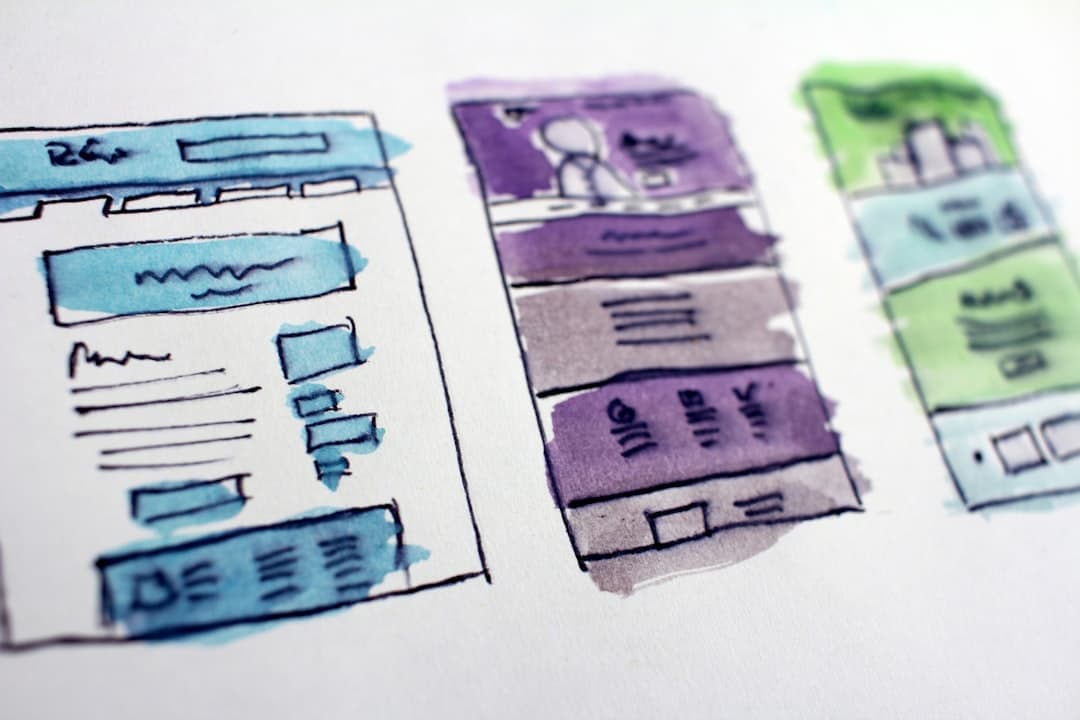
Photo by Hal Gatewood on Unsplash
How to choose a web designer — and spot a good one
Most small businesses do not build their own site; they hire someone. When you shortlist agencies or freelancers, the signs of a good one are consistent:
- They show live work, not just screenshots — links to real sites you can test on your own phone.
- They talk in outcomes and metrics — if they can quote an LCP target and explain why it matters, they understand modern performance.
- They plan structure before opening a design tool — sitemaps and wireframes come before colour palettes.
- They set up the CMS properly — clearly labelled fields so you can edit your own site safely.
- They build accessibility in from the brief, not as a bolt-on at launch.
- They measure after launch — checking real-user data and adjusting, rather than walking away.
If a designer leads with awards and trends rather than your customers, treat that as a warning sign.
Choosing a platform: WordPress, Shopify or a custom build?
There is no universally “best” platform — only the right fit for your business. Here is an honest comparison.
| Platform | Best for | Strengths | Trade-offs |
|---|---|---|---|
| WordPress | Content-led and service businesses | Flexible, huge plugin ecosystem, low licensing cost, you own it outright | Needs active security and maintenance; can become bloated if neglected |
| Shopify | E-commerce, especially smaller catalogues | All-in-one, secure by default, fast checkout, little to maintain | Monthly fees, transaction costs, limited deep customisation |
| Custom / Webflow | Brand-critical or unusual requirements | Full control, no plugin lock-in, designer-friendly | Higher upfront cost, longer to launch, fewer off-the-shelf features |
WordPress suits content-led and service businesses — from startup website design to law firm website design — and powers a large share of UK small business sites. Its flexibility is a genuine strength, but it carries a real maintenance duty. 96% of the 7,966 WordPress vulnerabilities disclosed in 2024 sat in plugins rather than the core software, that figure rose again in 2025, and exploitation is fast — one plugin flaw was exploited in the wild four hours after disclosure. Attacks are automated and indiscriminate: Wordfence alone blocked over 54 billion malicious requests in 2024. None of that is an argument against WordPress — it is an argument for managed WordPress hosting and maintenance, where updates are tested in staging before they touch your live site.
Shopify is built for selling, with hosting, security and checkout handled for you. The trade-off is a recurring monthly cost and less freedom to customise. If selling online is your priority, our Shopify design and development team can help you weigh it up.
A custom or Webflow build earns its place when you have brand-critical or genuinely unusual requirements — accepting a higher upfront cost and a longer timeline in exchange for full control.
How much does good web design actually cost?
The honest headline: good web design is not the expensive option — cheap web design is. A bargain template build can quietly cost far more in lost customers, accumulated security debt and an eventual rebuild than doing it properly the first time.
For ongoing care, our own pricing is deliberately transparent. WordPress hosting is £35 a month, managed maintenance is £75 a month, and the combined package is £95 a month. That covers UK renewable-powered hosting, daily backups, SSL management, uptime and security monitoring, and managed updates tested in staging first — the work that keeps a site fast and safe long after launch.
The cost of neglect, by contrast, is easy to evidence. 43% of UK businesses experienced a cyber breach or attack in the most recent year measured, and the ICO’s £4.4m penalty against Interserve cited outdated software among the failings. A maintained website is almost always cheaper than a breached one.
Accessibility, sustainability and compliance — what’s non-negotiable?
Some things are not style choices.
Accessibility. The Equality Act 2010 requires reasonable adjustments so disabled people are not excluded from your services, and the European Accessibility Act applied from 28 June 2025, reaching UK businesses that sell to EU consumers — with an exemption for micro-enterprise services from firms with fewer than 10 staff and under €2m turnover. WCAG 2.2 AA is the working benchmark courts and regulators accept.
Data protection. Under UK GDPR Article 32, keeping software patched is a recognised security obligation, not an optional extra; the NCSC and ICO expect active vulnerability management. Cookie banners matter too — the ICO found 134 of the UK’s top 200 sites non-compliant at the start of its 2025 enforcement push, and expects “reject all” to be as easy as “accept all”.
Sustainability — honestly. A fast, lean site uses less energy, and the overlap with performance is almost total, so the work pays for itself twice. But keep the scale honest: the internet accounts for roughly 1.4% of global greenhouse-gas emissions, and user devices, not websites, make up about 57% of ICT emissions. The bigger story is the AI-driven data-centre build-out — demand surged 17% in 2025 — not your homepage. The single most auditable green decision is your host: the Green Web Foundation lists around 356 verified green hosting providers, and from 1 October 2026 it will stop accepting carbon offsets as evidence of fossil-free status, so vague “carbon-neutral” claims deserve scrutiny. The UK grid strengthens the case for UK hosting — its carbon intensity fell from 188 to about 125 gCO₂/kWh between 2021 and 2024.
The sharpest commercial driver here is procurement, not consumer preference. PPN 006 requires suppliers on large government contracts worth over £5 million per year to publish a Carbon Reduction Plan, and the NHS Net Zero Supplier Roadmap will require full Scope 1–3 plans from April 2027 and exclude non-compliant suppliers from 2030. If your customers sell into the public sector, your hosting choices can surface in their tenders. We put this into practice for clients like Caplor Energy and the charity Beyond Ourselves.

Photo by Albert Stoynov on Unsplash
The practical web design checklist for small business sites
Use this as a starting point — whether you are briefing a designer or auditing your current site.
Homepage
- One clear value proposition, not a list of every service.
- A single primary call to action above the fold.
- Real trust signals: client logos, testimonials or credentials — not stock photos.
- A mobile-optimised hero image, never autoplay video.
Navigation and structure
- Five to seven top-level items at most.
- A logical hierarchy: services lead to individual service pages and case studies.
- A footer with contact details, a privacy policy and an honest cookie notice.
Content pages
- One H1 per page; H2s framed as the questions your visitors actually ask.
- Short paragraphs in plain English.
- Descriptive internal links and honest calls to action.
- Images in modern formats (WebP or AVIF) with descriptive alt text.
Performance
- Images under 100 kB each, served responsively.
- Remove unused CSS, scripts and fonts; defer non-critical JavaScript.
- Audit third-party scripts — each one adds load time and privacy risk.
- Target LCP under 2.5s, CLS under 0.1 and INP under 200ms.
Accessibility
- Everything reachable by keyboard alone.
- Text contrast of at least 4.5:1.
- Semantic heading order, descriptive alt text and clearly labelled forms.
- Test with axe DevTools or WAVE, then check manually.
Photo by Vagaro on Unsplash
Ready to see where your site stands today? Get a web design audit and we’ll show you exactly what’s working and what to fix first.
Where to start with web design for small business
Web design for small business is not about chasing trends — it is the disciplined application of performance, accessibility and honest cost control in service of your customers. Get the fundamentals right — a responsive, fast, accessible, well-maintained site on the platform that fits your business — and the aesthetics finally have something solid to sit on.
If you would rather have experts handle it, our web design team builds outcome-led sites, our WordPress hosting and maintenance service keeps them fast and secure, and our SEO and strategic development work turns a good website into a growing one. Book a no-obligation discovery call and we’ll talk through what your business actually needs.
Related articles
What do web designers actually do? A plain-English guide for UK small businesses
What does a web designer actually do — and how can you tell a good one from a bad one? This plain-English guide breaks down the evidence-based decisions behind every page of your website, from homepage layout to Core Web Vitals.

Accessible Web Design: A Practical Guide for WordPress and Shopify Sites
Approximately 350 million people have colour-vision deficiency. Missing focus indicators and ARIA attributes are among the most common accessibility failures on WordPress and Shopify sites. Learn the code-level practices that win both search and user trust.
How to choose a Shopify agency: what UK businesses should ask before hiring
Hiring the right Shopify agency can transform your e-commerce store — but choosing the wrong one can be costly. Discover the key questions to ask, red flags to watch, and how to evaluate a Shopify expert’s credentials.
Ready to grow your business online?
Let's build a website that works as hard as you do.
Mon–Fri, 9am–5pm
— or —
Free 30‑minute consultation
24-hour response guarantee
We'll get back to you within one business day, every time.
No hard sell, ever
Just an honest conversation about whether we're the right fit.
Talk to the people who'll do the work
No account managers or middlemen. Meet your actual team.